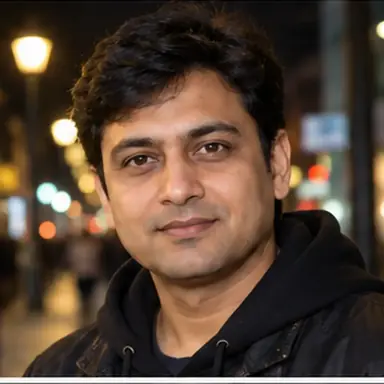
Example result illustrating this prompt's visual direction. Actual results may vary by model, reference image and settings.
 Requires Photo
  Photo Prompts
  AI Profile Picture Transformation Prompts
 Luxury Black and Gold Profile Portrait
Create an elegant premium avatar with refined black-and-gold lighting while keeping identity natural and clear.
Prompt
Transform the supplied reference portrait into an elegant luxury black-and-gold profile picture. Preserve the subject's identity, natural facial proportions, skin tone, hair, and distinctive features. Use a deep charcoal or black studio background, warm gold rim light, soft neutral facial key light, subtle premium wardrobe styling without logos, and controlled high-end portrait contrast. Keep the square crop centered on the face and upper shoulders with realistic texture and clean separation. Avoid metallic skin casts, excessive glow, text, logos, monograms, frames, UI elements, or watermarks.
Recommended:
ChatGPT


Upload your photo to the AI tool first, then use this prompt.
The prompt asks the model to preserve identity and key visual features.
How to use it
- Use a clean reference portrait with visible facial detail and hair edges.
- Apply gold primarily as accent and rim light rather than as a skin color cast.
- Keep the face large and centered for strong profile-icon readability.
Common failure fixes
- If gold light contaminates skin tone, neutralize the facial key light and confine gold to edges.
- If the dark background swallows the silhouette, strengthen subtle rim separation around hair and shoulders.
- If the image looks overly glossy, reduce bloom and preserve natural skin and fabric texture.