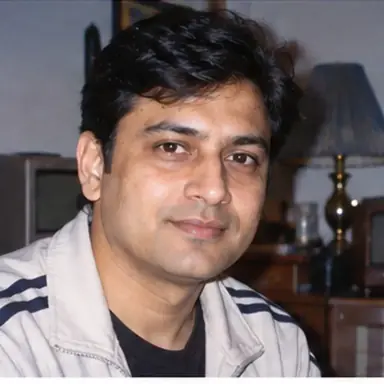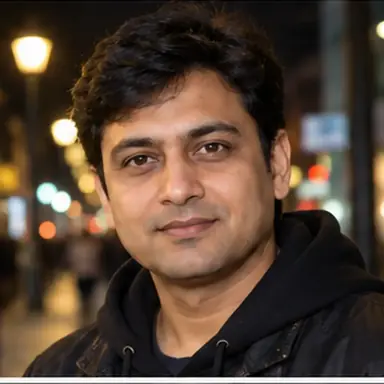
Example result illustrating this prompt's visual direction. Actual results may vary by model, reference image and settings.
 Requires Photo
  Photo Prompts
  AI Profile Picture Transformation Prompts
 Golden Hour Creator Profile Portrait
Turn a reference photo into a warm, approachable creator profile image with natural golden-hour light.
Prompt
Transform the supplied reference photo into a warm golden-hour creator profile picture. Preserve the person's identity, complexion, facial proportions, hairstyle, and natural expression. Place the subject in soft outdoor late-afternoon light with gentle sun flare, warm edge light, creamy background blur, and balanced facial exposure. Keep the pose approachable and authentic rather than overly posed. Use a centered 1:1 crop focused on the face and upper shoulders, with realistic texture and no text, logos, watermarks, or decorative frames.
Recommended:
ChatGPT


Upload your photo to the AI tool first, then use this prompt.
The prompt asks the model to preserve identity and key visual features.
How to use it
- Use a reference portrait with enough facial detail for accurate identity preservation.
- Keep warm light believable and prevent orange color casts on skin.
- Leave enough breathing room around the head for common circular profile crops.
Common failure fixes
- If skin becomes too orange, neutralize facial white balance while retaining warm backlight.
- If flare covers facial features, move it behind the subject and lower its intensity.
- If the crop is too tight for circular avatars, add modest headroom without shrinking the face excessively.