Gemini
1980s Photo Prompts: Build a Consistent Retro Portrait in Gemini
Plan a coherent 1980s-inspired portrait in Gemini, then review facial fidelity, clothing, lighting, and background details with targeted follow-up prompts.
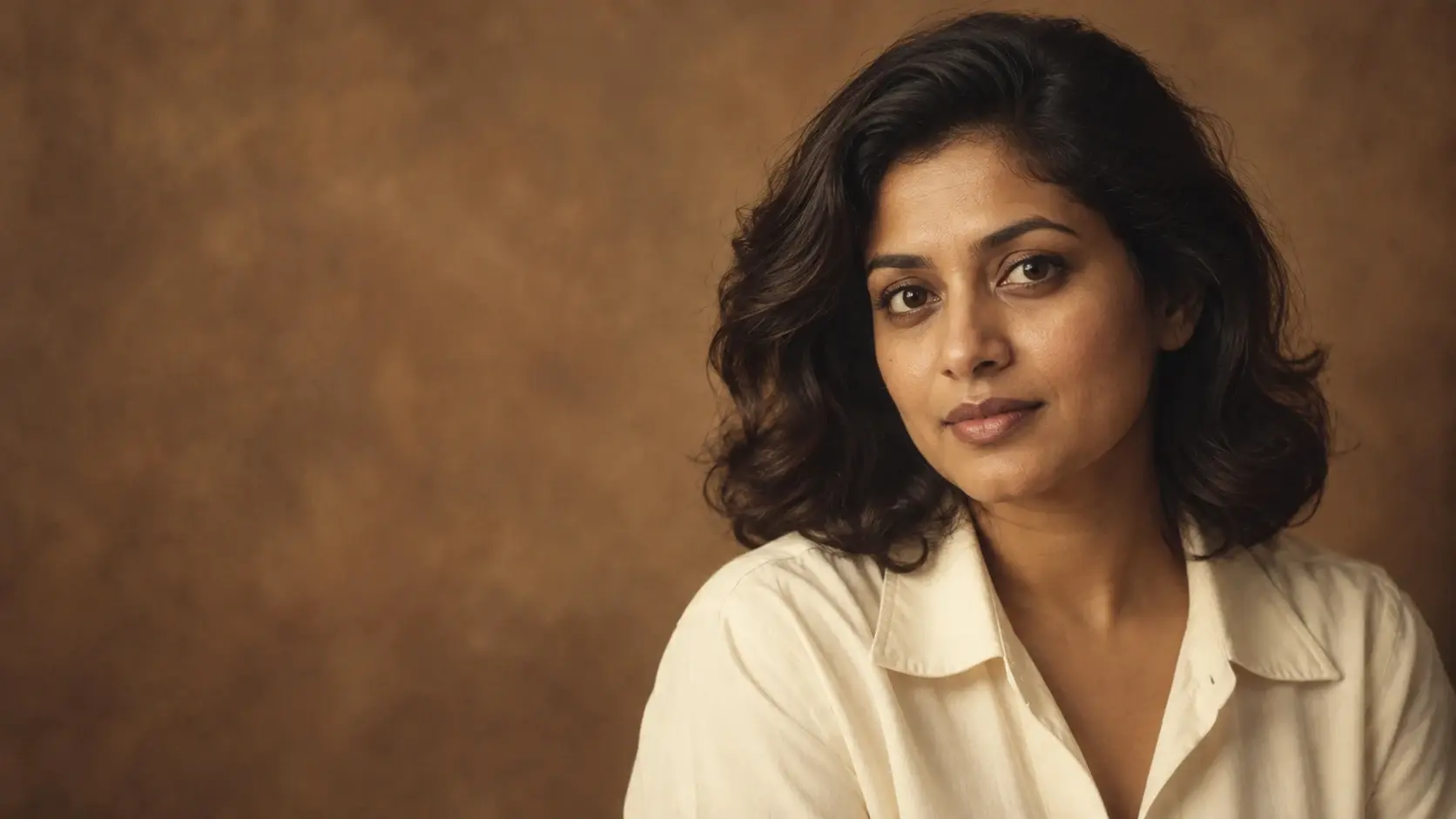
A useful 1980s photo prompt starts with a specific portrait idea: a softly lit studio sitting, a direct-flash denim snapshot, or a quiet family-album scene. Choose one direction, describe its clothes and setting, and tell Gemini which details of the uploaded person should stay unchanged.
Gemini supports editing uploaded photos, and Google's image creation and editing overview includes retro makeover and mall-portrait examples. This guide develops that creative task into a repeatable planning and review process. The prompts below are original editorial examples, not documented test results or guarantees of facial fidelity.
Choose the portrait before writing the prompt
For this workflow, treat “1980s” as a creative direction that needs more detail. Decide where the picture is set, what the person is wearing, and how the scene is lit. The three recipes below are illustrative styling choices, not a claim that every photograph from the decade looked this way.
| Portrait direction | Wardrobe and setting | Lighting and finish | Keep out of this recipe |
|---|---|---|---|
| Warm studio portrait | Cream collared blouse or shirt; softly mottled brown backdrop | Broad, soft light; restrained warmth; fine grain | Neon signs, nightclub lighting, heavy scratches |
| Denim flash snapshot | Plain denim jacket; simple brick wall after dusk | Direct flash; crisp subject; darker background | Soft studio haze, futuristic accessories |
| Home album portrait | Simple knitwear; modest room with wooden furniture | Window light; relaxed framing; gently muted color | Fashion-campaign posing, dramatic neon glow |
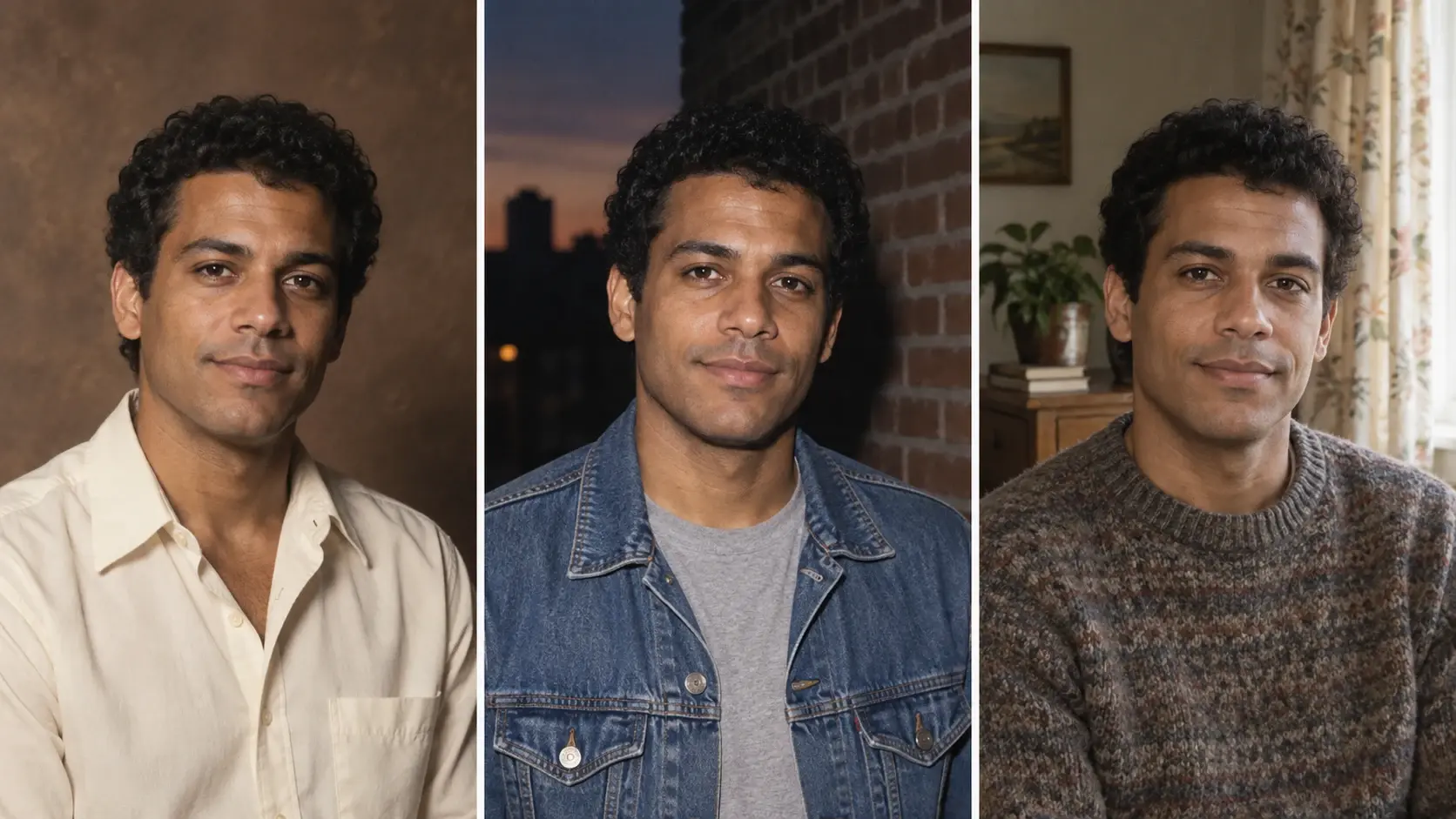
Choose a starting point from the 80s Photo Prompts collection, then keep your first attempt within that one direction. For a formal sitting, the Warm Painted-Backdrop Studio Portrait is a relevant companion.
Prepare one clear reference photo
Choose a photo you can inspect closely: an unobstructed face, visible eyes, and enough detail to compare the original with the edit. For the first attempt, use a single adult subject and a crop close to your intended result. A head-and-shoulders reference keeps the review focused on the face, clothing, and backdrop.
Write a short preservation list before uploading: apparent age, complexion, facial proportions, expression, hairline, and any distinctive visible features. Specify your own priorities. For example, if you want a different jacket but the same hairstyle, say so rather than asking for a complete makeover.
Google's Gemini image-editing help confirms that you can upload a photo and request edits. It requires sign-in, notes language and country availability limits, and states that image editing is unavailable to users under 18. Check the current guidance if editing is missing from your account.
Build a prompt with clear priorities
Organize the request into five parts. This is an editorial writing framework for making your decisions explicit, not a special Gemini command syntax.
- Task: Edit the uploaded photograph into one chosen portrait style.
- Preserve: List the person's features that should remain recognizable.
- Change: Specify the garment, background, and optional accessories.
- Photographic treatment: Choose lighting, framing, color, and texture.
- Exclude: Name a few unwanted additions that would conflict with the scene.
Keep these instructions compatible. For example, ask for soft diffusion while retaining clearly defined eyes; do not demand both heavy blur and maximum detail everywhere. Decide whether you want a new hairstyle before also instructing the model to preserve the original hair.
A complete 1980s studio portrait prompt
Use this example with your chosen adult portrait. Change the garment or backdrop before submitting if it does not fit your subject or intended scene.
Edit the uploaded photo into a restrained 1980s-inspired studio portrait of the same adult. Preserve the person's apparent age, natural complexion, face shape, eye shape, nose, mouth, hairline, hairstyle, expression, and distinctive visible features. Do not beautify, slim, or reshape the face.
Keep a head-and-shoulders composition at eye level. Replace the clothing with a plain cream collared shirt and place the person against a softly mottled warm-brown studio backdrop. Use broad, gentle light from camera left with soft facial shadows. Keep the eyes clearly defined and retain natural skin texture. Add subtle film-like grain, restrained warm color, and mild softness around the background rather than across the face.
Keep the scene simple and believable. Do not add neon lighting, modern devices, lettering, logos, decorative borders, artificial scratches, or extra accessories. Make only the requested styling changes.
The preservation wording communicates your intent; it is not an identity lock. Use the original as the standard for deciding whether the result is acceptable. If the face changes, reject that version even when the clothes and background look convincing.
Use the prompt in Gemini and review the first result
- Sign in to Gemini and upload the reference photo for editing.
- Enter the complete prompt, with your chosen garment and scene.
- Keep the original beside the result for comparison.
- Review identity first, then wardrobe, background, lighting, and texture.
- Save an acceptable version before requesting another change.
For interface details, follow Google's current upload-and-edit instructions. Its desktop guidance also describes opening an existing image, selecting Chat, and entering an editing request. The examples here do not depend on a paid-only feature or promise a particular number of available generations.
Google describes background replacement, object changes, and multi-step editing in its announcement of native image editing in Gemini. For this portrait task, use follow-up requests to isolate a specific change so you can judge whether that revision helped.
Two variations without rebuilding the whole request
Keep the preservation paragraph from the studio prompt. Replace its scene and lighting paragraph with one of the following alternatives. Remove any contradictory studio instructions before sending the combined request.
Denim direct-flash snapshot
Place the same adult in a plain denim jacket over a neutral T-shirt, standing against a simple brick wall after dusk. Keep the original expression and hairstyle. Use direct on-camera flash, a clearly lit face, and a darker background. Frame from the chest upward with relaxed posture. Add light grain while keeping the skin texture and eyes visible. Avoid neon signs, dramatic colored rim lights, luxury fashion styling, text, and contemporary devices.
For a related starting point, use the Denim Direct-Flash Night Snapshot prompt.
Quiet home album portrait
Place the same adult in a modest living room with a wooden side table, a plain fabric armchair, and a softly patterned curtain. Use simple muted knitwear and natural window light from one side. Keep a relaxed seated pose with the hands outside the crop. Use gently muted colors and a little grain without fading or smoothing the face. Do not add smartphones, flat-screen televisions, smart speakers, printed dates, logos, or theatrical lighting.
These are alternative scene briefs, not ingredients to combine. Keep one light source and one setting as your main direction.
Fix the weakest detail with a narrow follow-up
Review the face before spending time on decorative details. If the identity has drifted substantially, return to the original reference and simplify the request. For smaller styling problems, use a correction that names both the change and what should remain intact.
| What you notice | Next request to try | What to check afterward |
|---|---|---|
| The face looks younger or reshaped | Use the original uploaded photo as the facial reference. Restore its apparent age and facial proportions; keep the requested shirt and backdrop. | Eyes, nose, jawline, expression, and visible age cues against the original |
| The complexion has changed | Restore the original complexion. Reduce the warm color cast on the skin while retaining the warm backdrop. | Skin tone under comparable viewing conditions |
| The picture looks excessively blurred | Reduce diffusion on the face. Preserve defined eyes and natural skin detail; keep only subtle softness in the backdrop. | Eye detail and believable skin texture |
| The clothing conflicts with the brief | Replace only the jacket with a plain denim jacket. Keep the face, pose, framing, and background unchanged. | Collar shape, seams, and unwanted accessories |
| A modern object remains in the room | Remove the visible smartphone and leave that surface empty. Preserve the surrounding furniture, lighting, and subject. | The cleared area and nearby object edges |
For more focused wording, consult Complexion-Locked Retro Portrait, Period Wardrobe Correction, or Modern-Object Cleanup for Family Photos. Treat any “locked” language in a prompt title as an instruction goal, not a technical guarantee.
Approve the portrait before sharing
- Identity: The person is recognizable, with no unwanted change in age, complexion, or facial proportions.
- Scene: The clothes, furniture, and accessories follow the selected brief.
- Lighting: The face and background belong to the same photographic setup.
- Detail: Eyes, ears, hair edges, collars, and jewelry survive close inspection.
- Texture: Grain and softness support the portrait without obscuring the subject.
- Presentation: The image is described as an AI-styled portrait, not passed off as an authentic family photograph from the 1980s.
Keep the original, your accepted edit, and the final prompt together. Record which single correction improved the result. That gives you a practical starting point for another portrait while keeping each new face subject to its own review.


